Sponsored Products
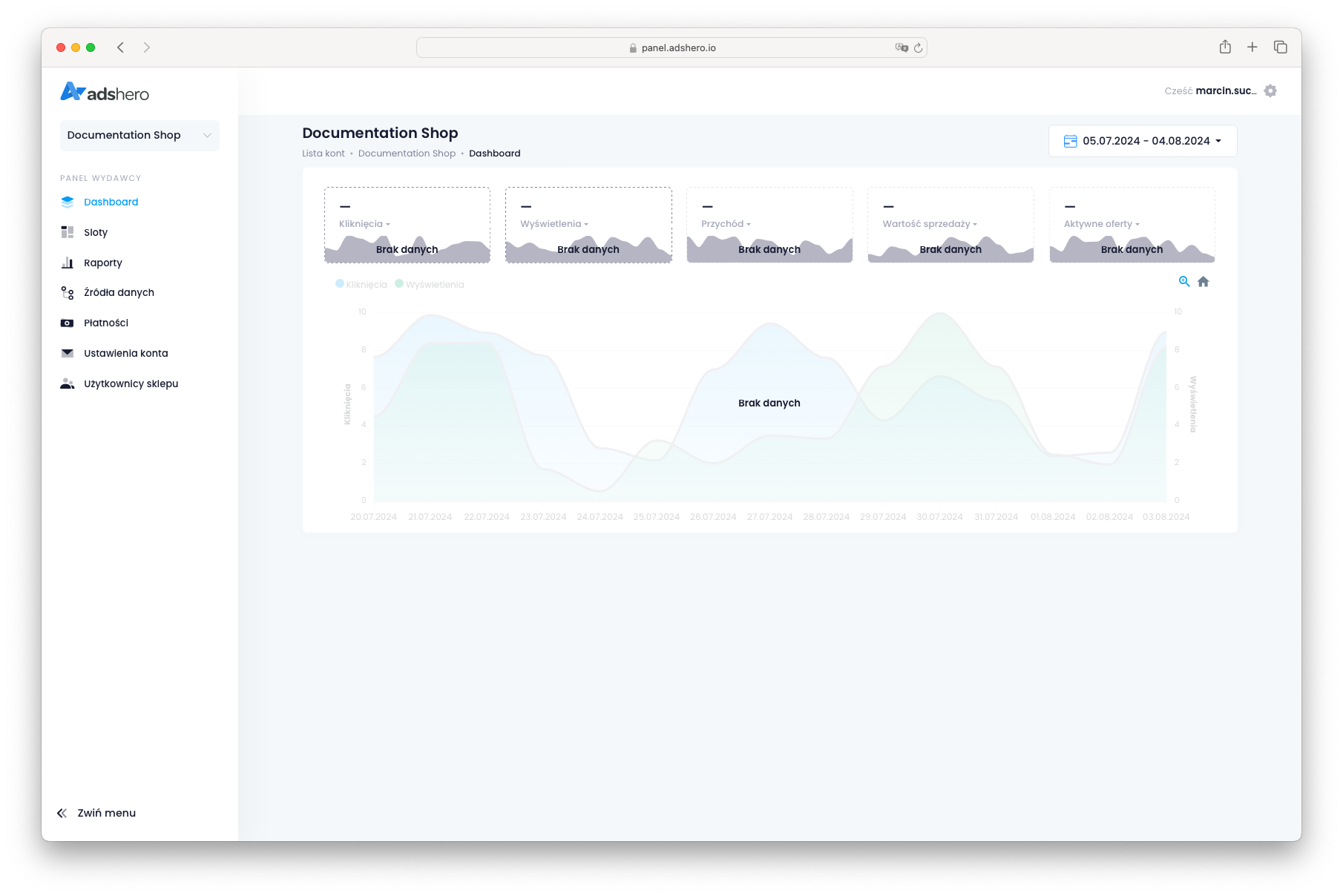
Create AdsHero publisher account
Contact us, and we will prepare new publisher account for you. If you already have an account, log in.
Create product feed
A product feed is a file containing a list of products available in the shop. If you already have a product feed in XML format for Google Merchant Center, you can use it in AdsHero. Otherwise, prepare a product feed according to the specification.
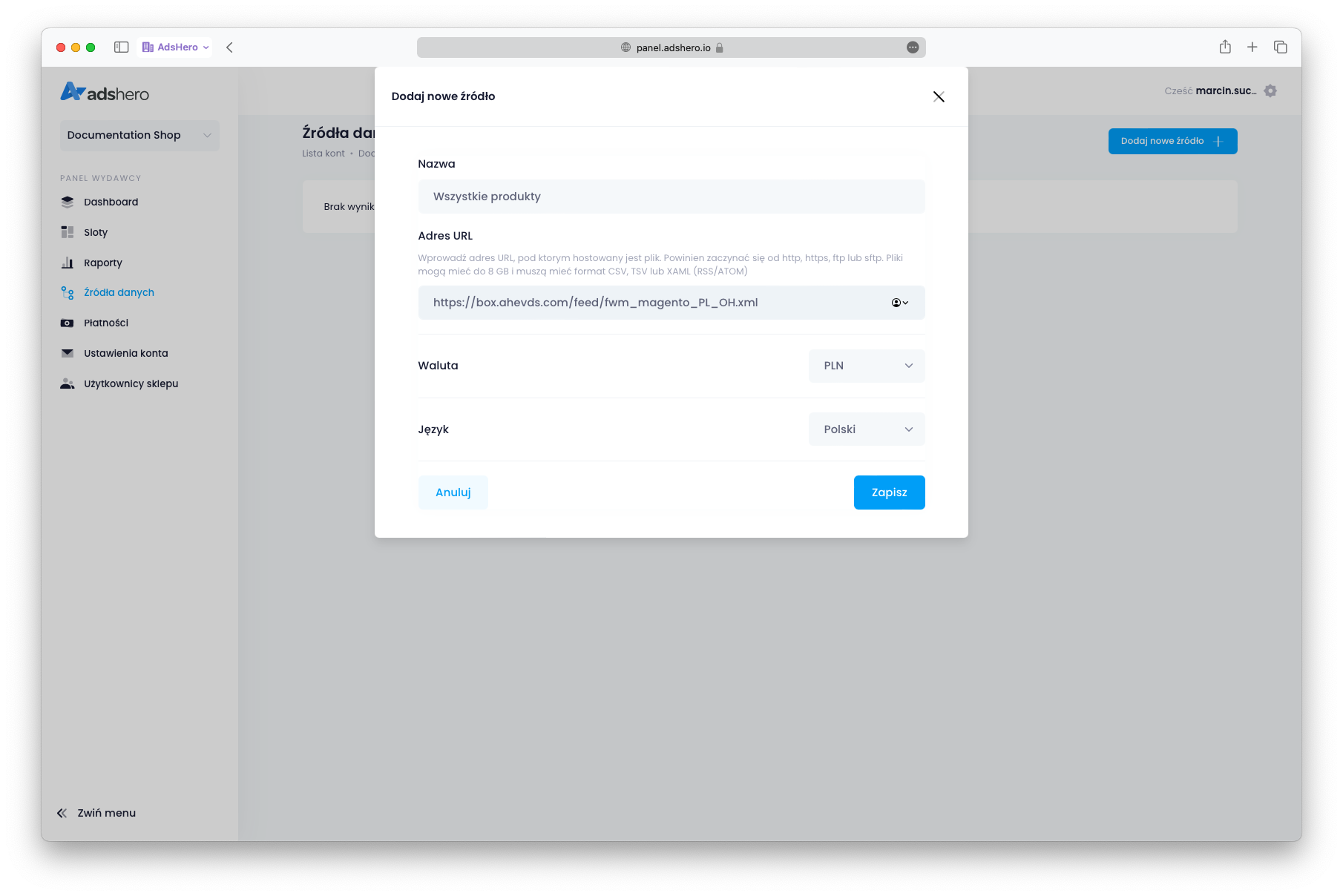
To upload the feed, go to “Feeds” in the publisher account and click the “Add new feed” button.
Wait till feed is ready
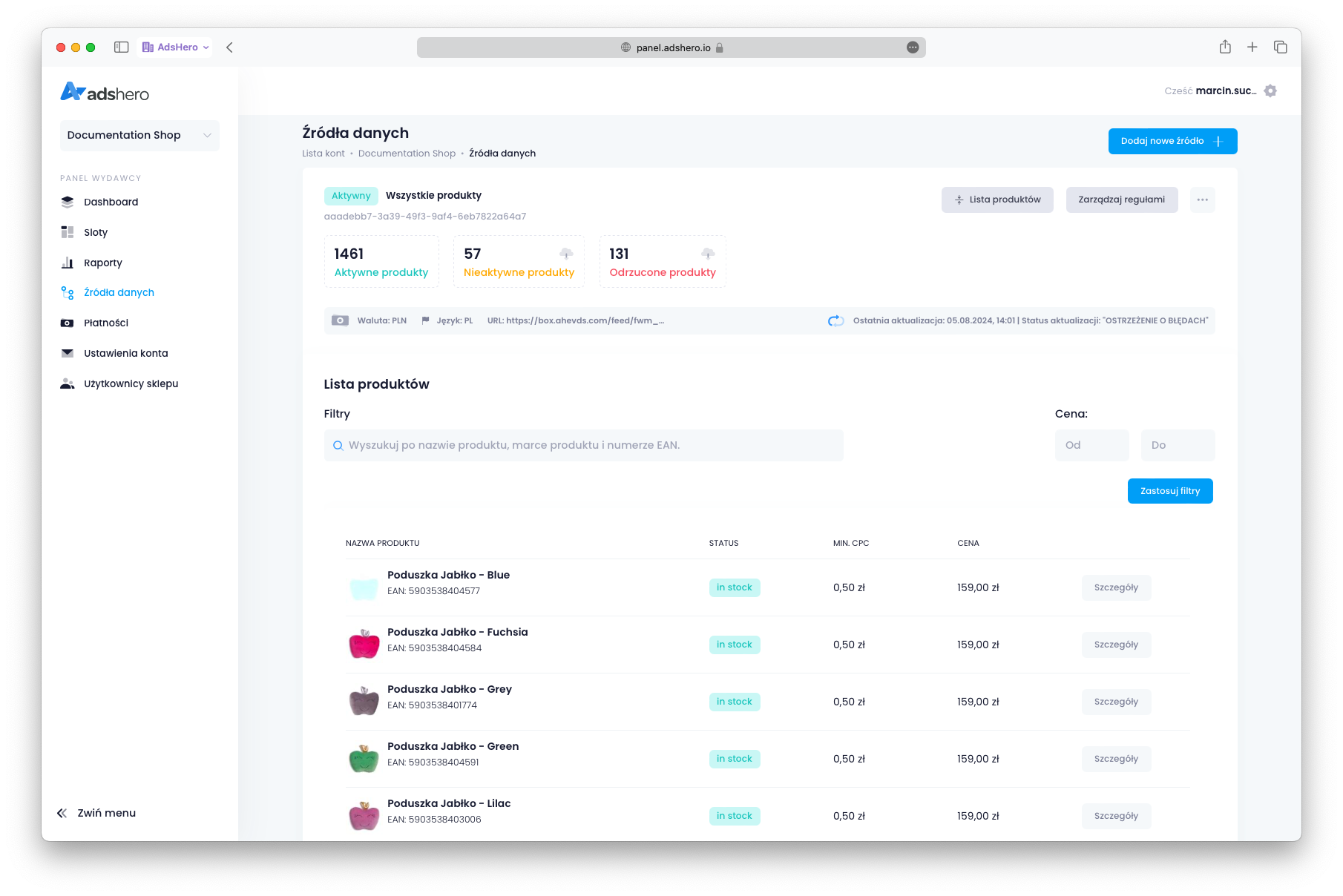
Feeds are processed immediately after being added to the system, and then every hour. The processing time depends on the size of the feed: for very large feeds, the first load can take several hours. Subsequent processing is incremental and much faster.
After processing the feed, we will get a screen like in the picture. The date of the last feed update will be visible, and possibly information about rejected products and warnings. A typical situation is that a few percent of products are rejected, but the vast majority should load correctly.
Create ad slots
To render products on the site, you need to prepare an ad unit. An ad unit is a place on the page where ads are rendered. Ad units are grouped into “placements” — for example, on a product page we may want to place ads in two locations, so we create two ad units associated with the “Product Page” placement.
Go to the “Slots” menu item
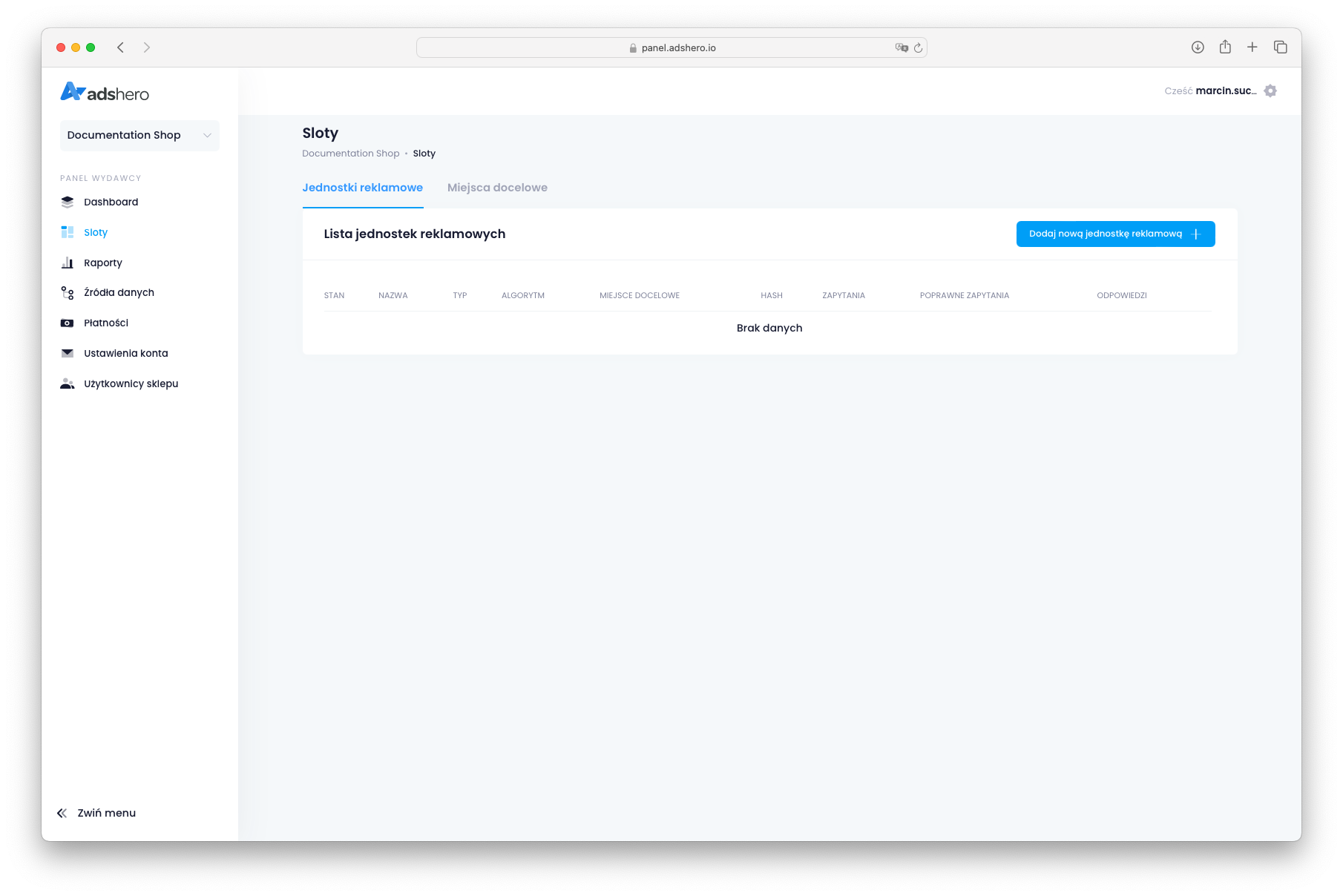
Then select “Add new ad unit” and give a name to the new unit:
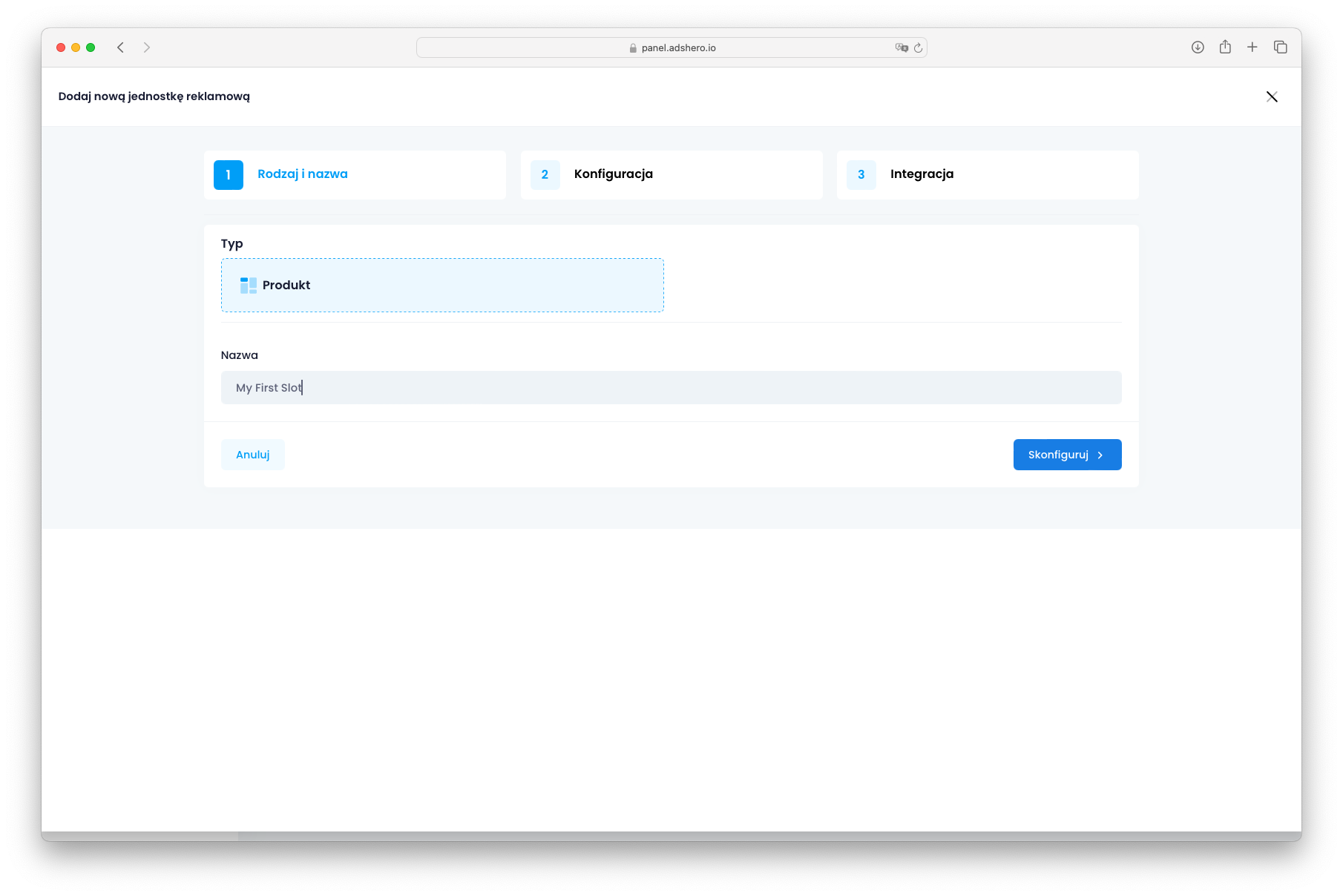
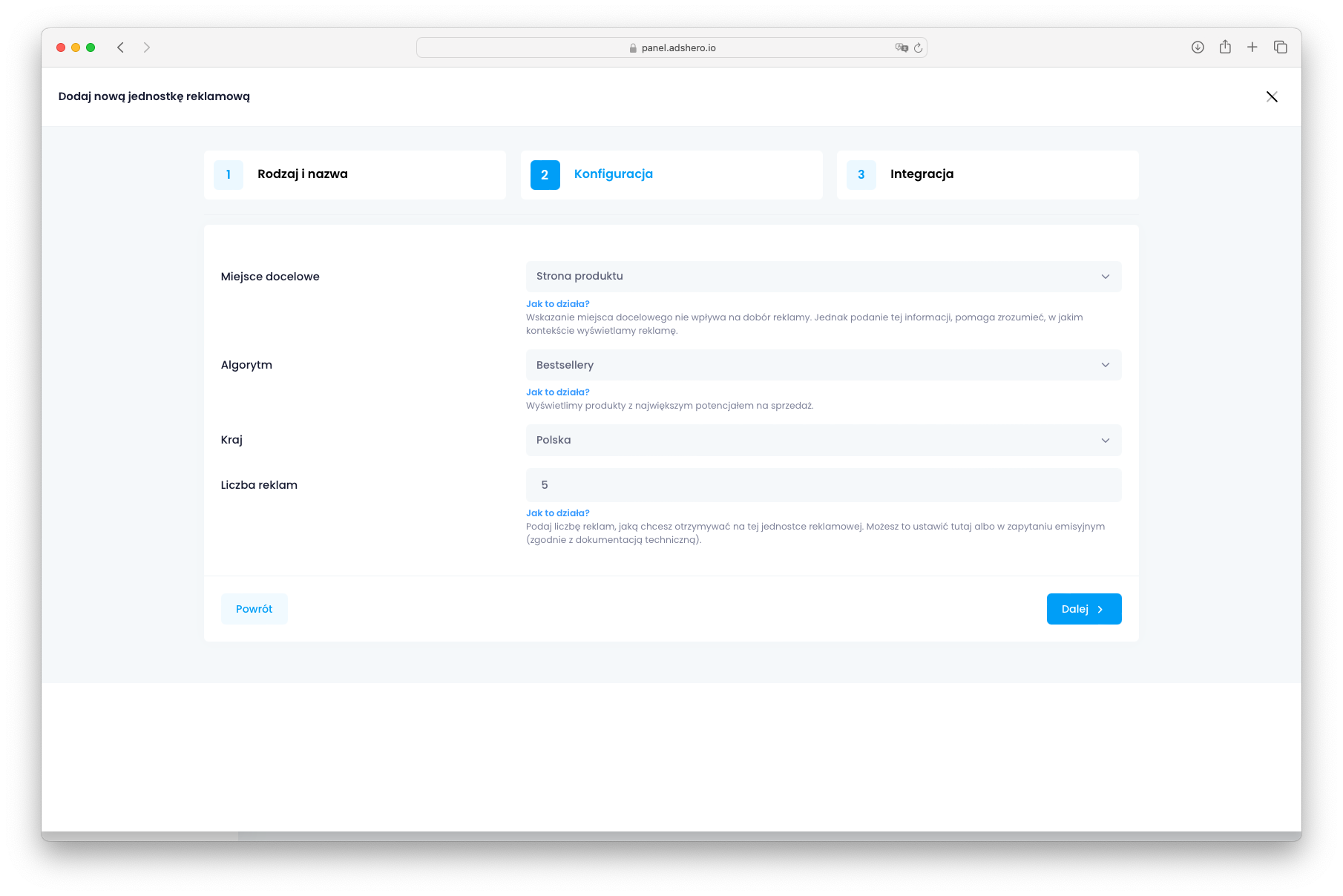
In the second step, select the placement and the algorithm. For the “Product Page,” similar products and bestsellers are a good choice. For search results (listing), the preferred algorithm is contextual matching.
In the final step, a hash is displayed: this is the unique code of the ad unit. It is also available in the list of ad units and is needed to retrieve ads.

After creating the ad unit, it is visible in the list:

Create test advertiser account
During typical AdsHero platform usage, advertisers will create campaigns. However, during integration period it is useful to create temporary test campaign.
If you already have test advertiser account, skip this step. Otherwise, create new advertiser account
Create campaign
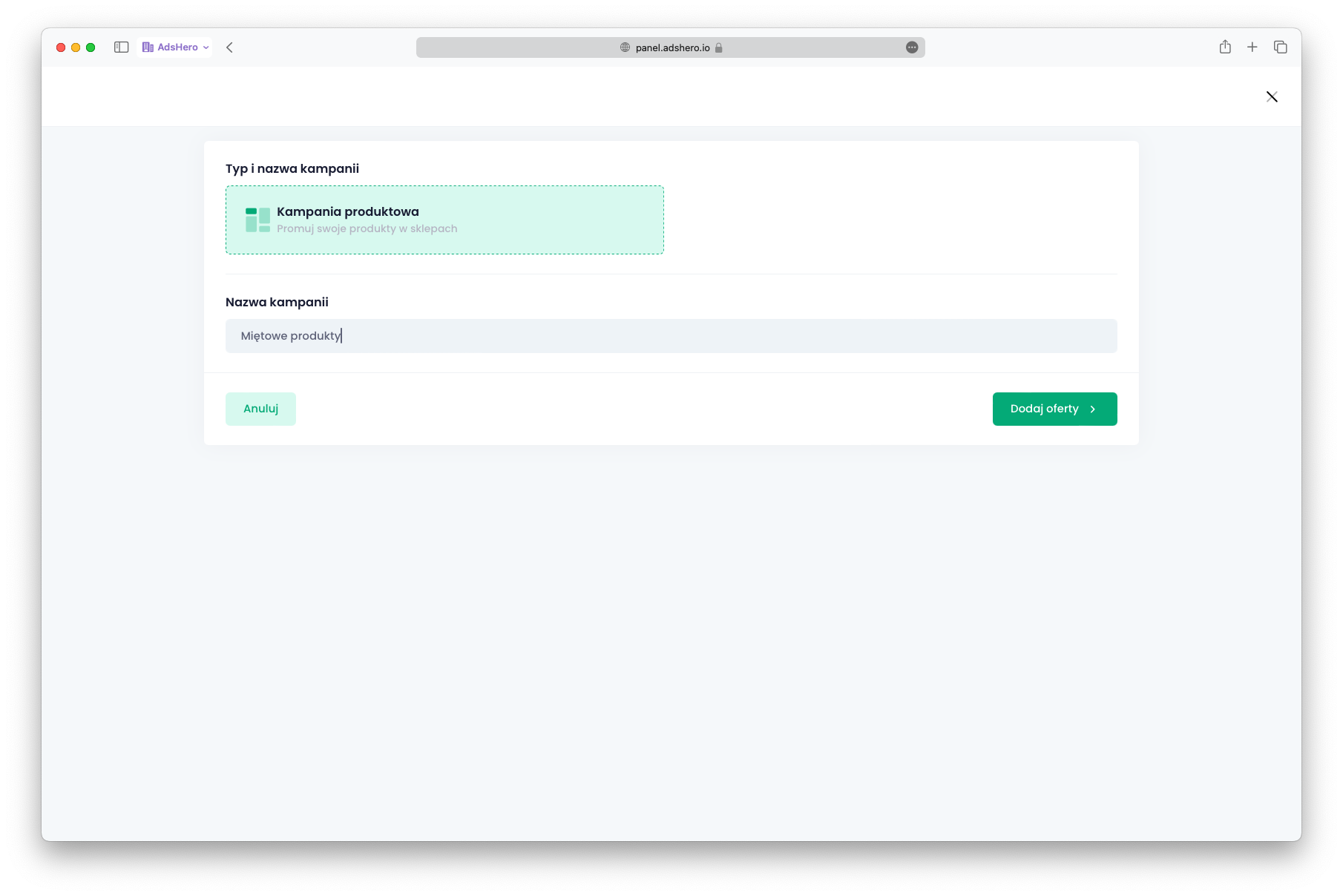
To render ads within an ad unit, there must be a campaign with products to advertise. By switching to the advertiser account, click “Add campaign” and give the campaign a name:
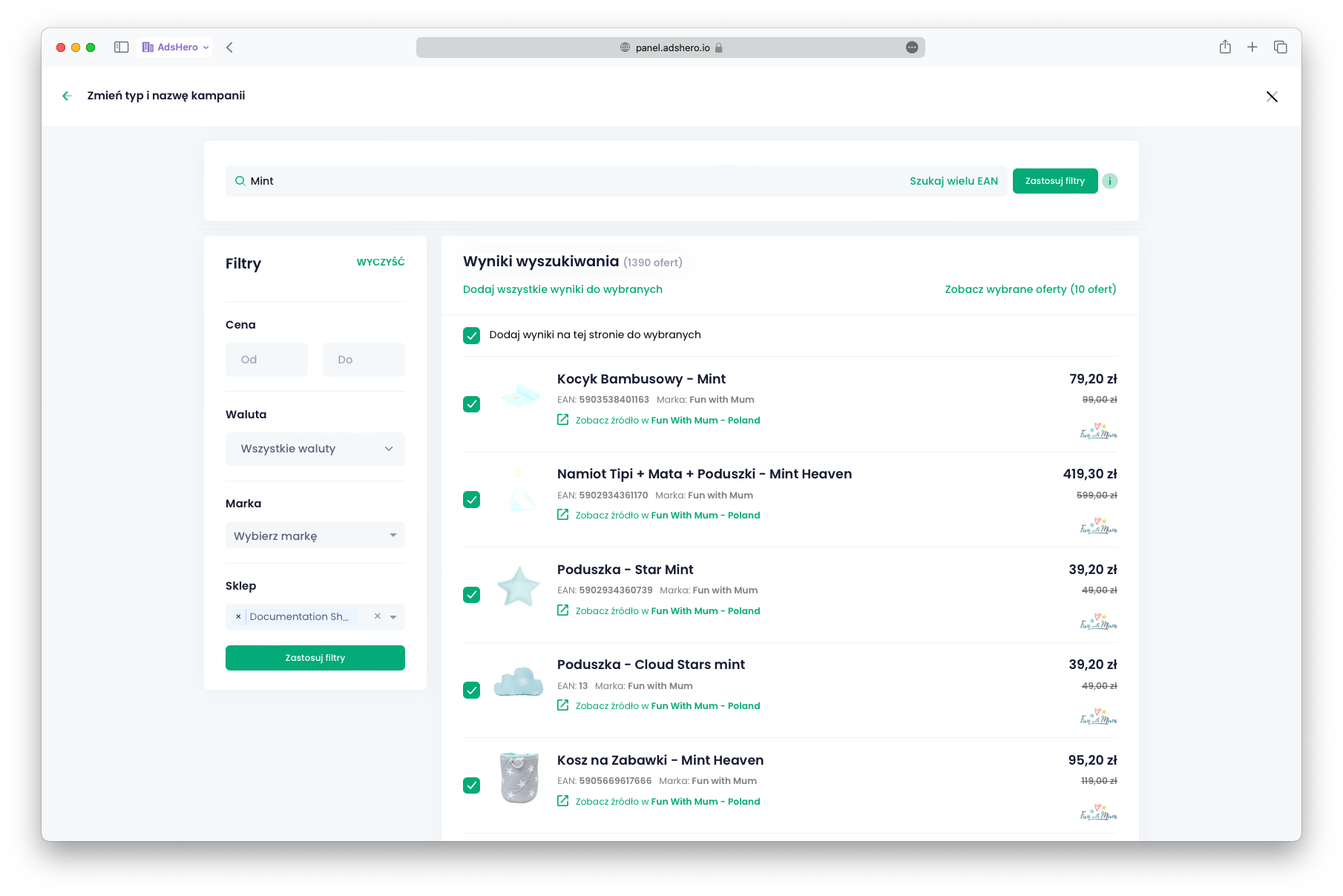
In the second step, select the products to advertise. If you want to limit it to a single shop, on the left side you can select the shop from which products will be available to choose from. In the case of whitelabel, advertisers have access to only one shop.
In the final step, select the duration of the campaign and the budget:
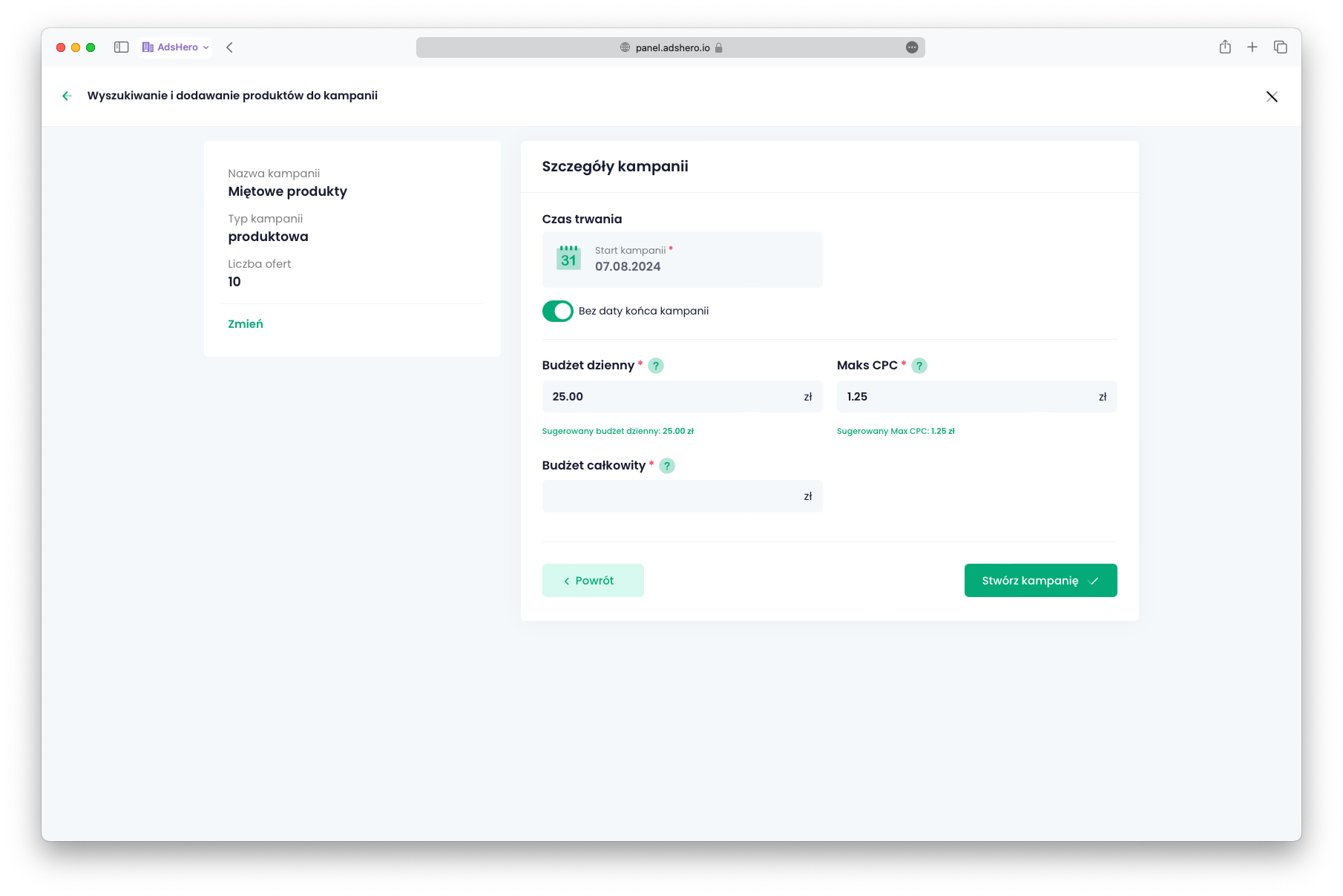
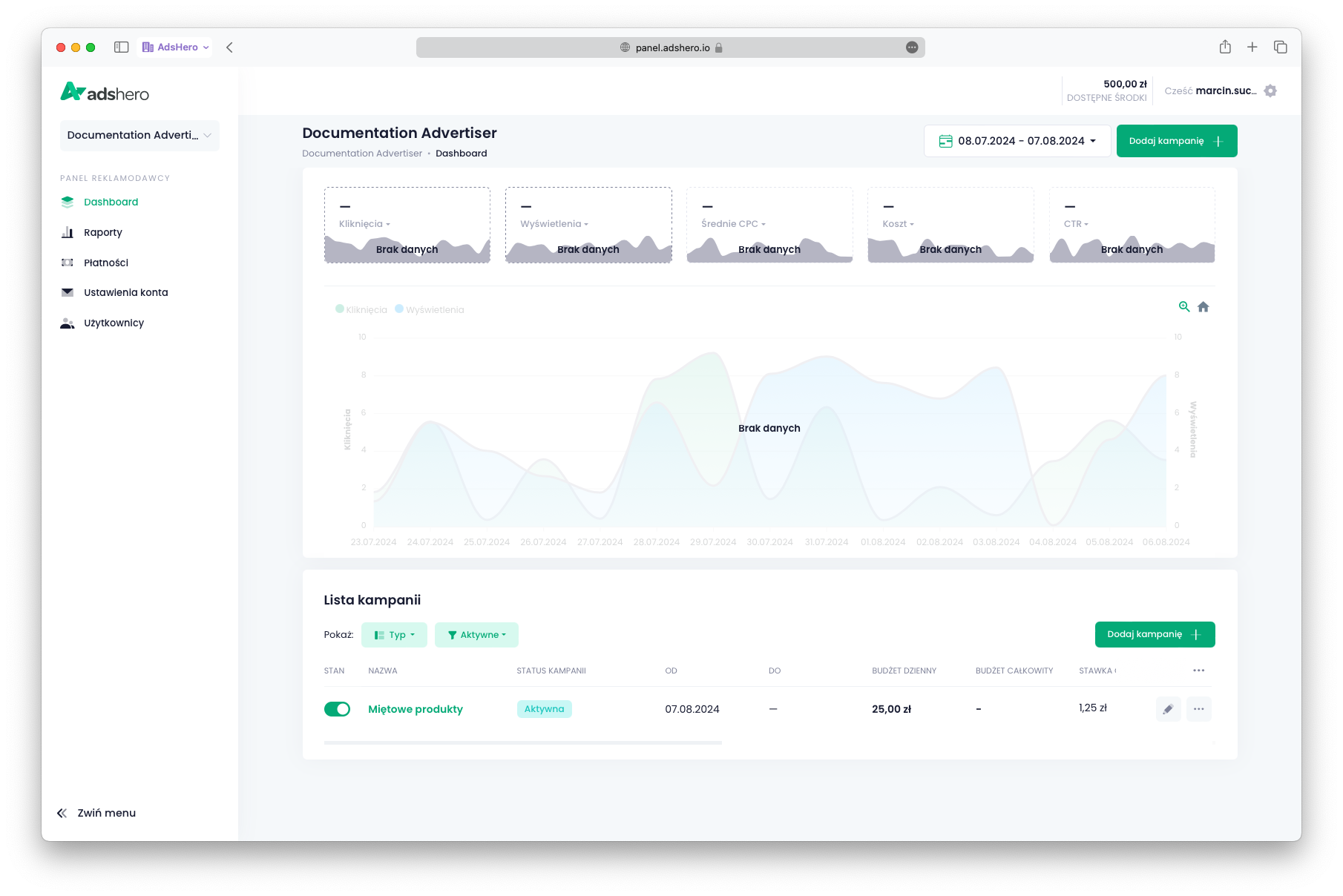
After clicking “Create campaign” you are redirected to the dashboard with the list of campaigns. The newly created campaign is visible:
Test emission
Emission endpoint:
POST https://dispatcher.ahevds.com/v1/dsa/raw/batch HTTP/2
Content-Type: application/json
cid: {cid}
uid: {uid}

{
  "targeting": [
    {
      "slotHash": "{slotHash}",
      "adCount": 1
    }
  ]
}slotHashis the identifier of the ad unit available in the publisher’s panel on the list of ad units (menu “Slots”).adCount(the example value is1) is the maximum number of ads to be returned.
Below is an additional example emission query. More examples and a detailed description of available parameters can be found in the Emission API documentation. Depending on the emission algorithm (configured at the ad unit level) and the emission location, the set of parameters varies.
POST https://dispatcher.ahevds.com/v1/dsa/raw/batch HTTP/2
Content-Type: application/json

{
  "targeting": [
    {
      "slotHash": "a64bb352-32c4-4742-8108-f6fd3358e4e3",
      "adCount": 1
    }
  ]
}HTTP/2 200 OK
Content-Type: application/json
{
"data": [
{
"slotHash": "a64bb352-32c4-4742-8108-f6fd3358e4e3",
"ads": [
{
"adUnitId": "F5LkM5IBjTNmMwTTXR1p",
"systemProductId": "66b0bf29f9210e6f3a1ee09d",
"shopProductId": "BAS-FOR-TOY-SIL-MIN",
"productTitle": "Kosz na Zabawki Duży - Silver Mint",
"productHref": "https://funwithmum.com/pl/kosz-na-zabawki-duzy-silver-mint",
"productImageName": "311d5d048124aa8efe301b30b5e9fba3.jpg",
"productPrice": 149.0,
"productSalePrice": 119.2,
"showId": "eyJhbGciOiJSUzUxMiJ9.eyJhZHVuaXQiOiJhRDhJQTFuVHphaUk5RFphdkpmMnlROVFKQzVham9GTXVxOVdXYmR0aVFjQTNoVGFnUHprbE9vZzZ2N3N2cDJwT3kxdUxMY1hKaGhBQUJpbG1rT2thR3dtaXRGK1ZxWmlMWjg0SS9mMEFPY1l5T3lyc2p5K0k1OXdhSUhuVG5hNjhpY2dUMzdjb0ZZeCtqV3VEcC9aa013SFh0cDlKMC9HdkRMVTJYa1VsVzNVQk9SOU9Ea0Zha1pGSFlJRU12ODVwTWQ3alZyZkN3elRYSE1zcmh2YVNaMmpTa1FmKzVnT011SEdGbzJwZ0FCSHRzNmtONkFKTVUyVytWdHp5Y1h1N3d0K3gzenRvKzVTQTFMTHFqZ1dpbEJ2Rk1hRk1ZNTFGaHBESVBYN1lVNi81MExkNHFMeWZWQ3FSazd1dVpaRDdkVzRHWW4yaTU1VDJnMnI5T2pBb0doWnBOdENCMVFJd0N6LzhBeTBHZ1hmdTRuRzJRZmkrR2ZMdjZCN0gwbmFValA2QkVCMlJGODFSd0NtRE0wcWVNTG1uZlIxUmhkQlNCSTd5a2xyQW9VTzZvOW00MXdjWk9jeWJNSmMrOWVMODR6ZlBNenFXL3J6K095QUYyMFducTBncmErMTRmaFNmQkZjNFZocGRySTlpWUVpU3I2QjlTT1BERTlOQ0ljK1BHd29GWEhmVWVvc0tybmtOSUdoNVJ6ei9SQmhZazc4OW42ei9QbEZrU25nTFF6NVRSa0RwWXZ5cWNPQWt4em45MTBJdS9MWktoOGRkWW1LeWpnTFg2L29ZOFdKV3hlQU5aeWt4ZnVMSnp1bitzWmV0ZlJIeEJvSXMyd1NVREo4WE42MGx1T2QvdVRuYjlDNkpjQ2NKZTZVelU4bkF3OXRHVG10ZUJUbFJMQ2J5MnExQVovL284NWtUbm5FbGtRb1lNSjA5Q1pXcVZVb2Fpb05PVGpzY1FxenIrcUhYOS95N2hDZlBISHhKV2M9IiwidHlwZSI6IlBST0RVQ1QifQ.qCuqv1BFHKcKwOTzvXYsNl7LiL14Dv99RNttosDOYa5z2d_fkXmqIiY-Jq4CSRspFljn5BvwPJZsOf_KgK1Zhga4jHm4f8EX1-i--76lGWepbcgeSTOMkUmCrq22O_TLKGeCbPj7MjL8B--nI_hBvI924X7FqF59XOMUCAmdwgg5RP2EsEwHmrpPdOQ9oh4YjtEXzTzuYFdd9ftGHgL0-rYdTZ5vx0q_p8AbiP9_tBvVuMvwyfu4yuGPsOCY41qFW6C2xsoPAg_kQrx5kwgGE8ZGnj3YCfjphfWmz_nlwVwQ7WODanW_kpdr02K78gN5D2Pbz2IfGXzK0vw0sXZNfw",
"requestId": "|AOZxmKInMj7QA3Txkk1Pm8dXlDS7EKlwKwfQ.Ir5sQj_",
"slotHash": "a64bb352-32c4-4742-8108-f6fd3358e4e3",
"shopId": "cf196098-c935-4ac4-83f2-aece5185602a",
"lang": "pl",
"currency": "PLN",
"brand": "Fun with Mum",
"categoryId": null,
"autoPromo": false,
"productImageUrl": "https://prd-cdn-images-prx.ahevds.com/311d5d048124aa8efe301b30b5e9fba3.jpg"
}
]
}
],
"meta": null,
"clientId": "v2.633061515.1727455341"
}A detailed description of the emission API can be found here.
Events
For full integration with the AdsHero system, we need feedback on user interactions with ads. We accept the following events (in the case of sponsored offer, the ad is a single product returned in the emission):
- Ad view — required
- Ad click — required
- Add product to wishlist
- Add product to cart
- Purchase in the shop — required
A detailed description of sending events can be found here.